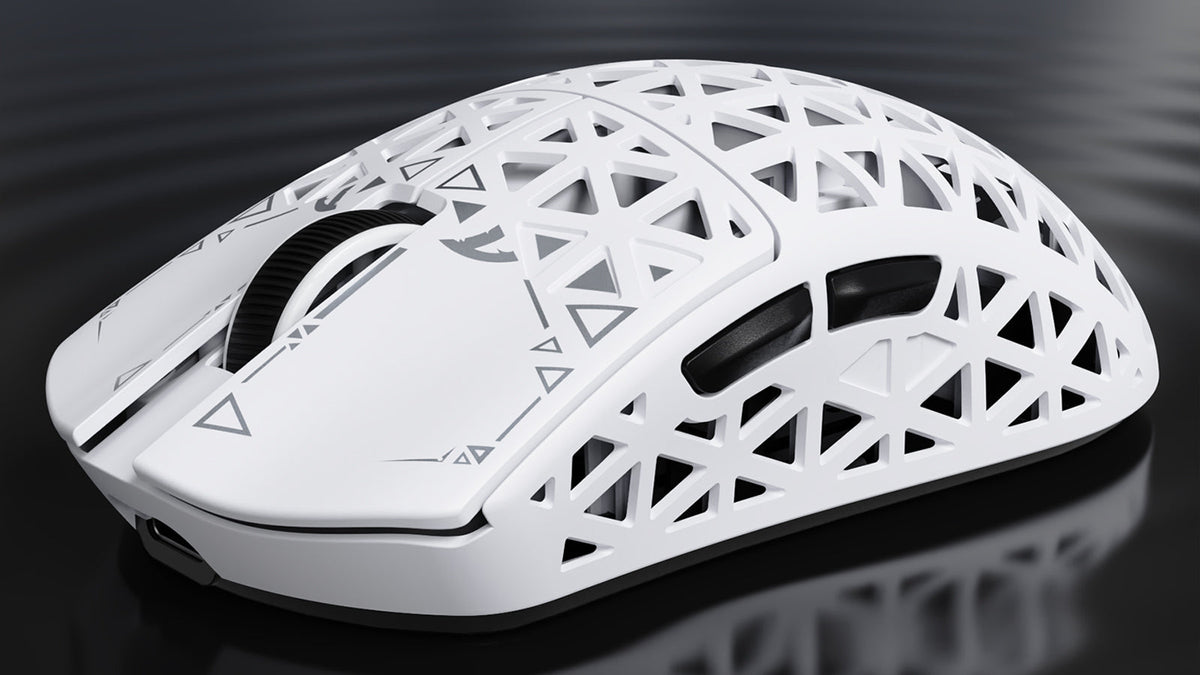
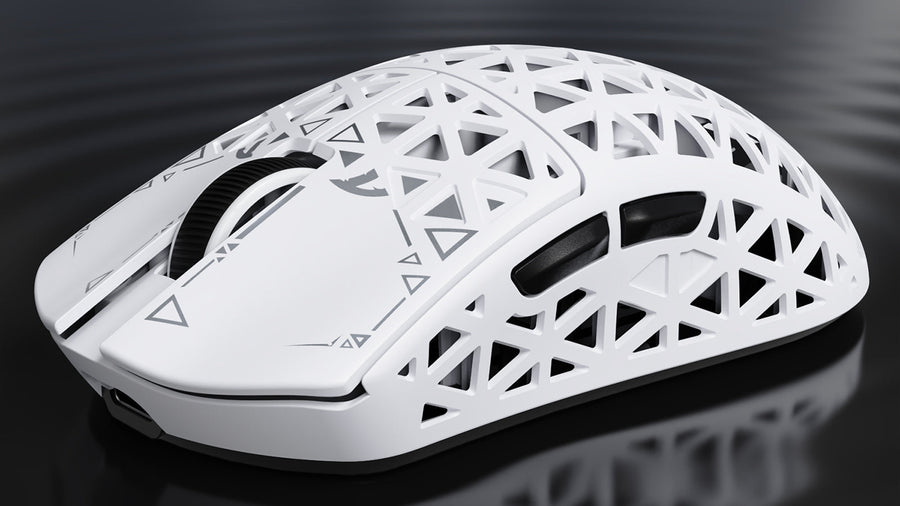
The Attack Shark R5 Ultra pairs an exceptionally light carbon-composite shell with strong rigidity, flagship-class internals, tri-mode connectivity, and responsive 8K wireless performance.
Who the Attack Shark R5 Ultra Is For
The Attack Shark R5 Ultra is aimed at competitive players who want a very light symmetrical wireless mouse without paying the premium attached to many carbon fiber gaming mice. It makes the strongest case for itself when low mass, a familiar medium-size shape, and flexible connectivity are higher priorities than a plush coating or highly refined stock skates.
It is also a more natural fit for players willing to tune their setup. The included grips can address the slick surface, while aftermarket dot skates can change the glide. Buyers who expect a perfect stock configuration may notice those compromises immediately, but anyone already comfortable adjusting mouse grip tape, lift-off distance, DPI, or debounce has more room to tailor the experience.
What Comes in the Box

The package covers the expected connection and maintenance basics. It includes documentation, a USB Type-A to USB Type-C cable, an illuminated wireless receiver with a rubberized base, pre-cut grips, and two extra sets of skates. The receiver uses USB-C at the rear and supports the mouse's advertised maximum polling rate.
That cable choice follows the current USB Type-C connector specification, while the extra grips and skates give buyers immediate options if the factory setup is not ideal. The skate choices include the installed black set and white dyed PTFE replacements, although the small corner cutouts limit the size and shape of third-party skates that can be fitted without modifying the base.
Weight, Shell, and Coating
In AimAdapt's source test, the mouse weighed approximately 42.2 g with replacement dot skates installed. That puts it firmly in ultralight territory, where gaming mouse weight can affect how quickly the device starts, stops, and changes direction. Balance felt solid from side to side and only slightly rear-biased in the review unit.
The carbon-composite shell was a clear strength. It felt rigid during normal use, without obvious weak areas or distracting flex. Deliberate pressure near the top could bend the shell, but that was not noticeable while holding or gaming with the mouse. This combination of low mass and everyday rigidity is the R5 Ultra's most convincing hardware achievement.
The coating is less convincing. The review unit felt slippery enough that the included grips became a practical accessory rather than an optional cosmetic extra. Openings along the sides may also divide buyers: they help define the carbon-shell design, but players who prefer solid sidewalls may find the texture or exposed edges less comfortable.
Clicks, Scroll Wheel, and Side Buttons

The main buttons use Omron mechanical switches rather than the optical switches the source tester expected. Their feel was described as moderately heavy and clicky, with some pre-travel toward the front and limited lateral play. Post-travel remained controlled, and the buttons could still be pressed rapidly near the front. This is a serviceable implementation, but not the lightest or crispest option for players who prioritize effortless repeated clicks.
The scroll wheel has lightly defined steps with medium tension and a relatively light middle click. The side buttons sit slightly farther back and use a pointed profile instead of a broad, flat face. Their position worked well overall, though a forward grip required more reach for the rear button. The rear side button also showed more play than the front one before reaching a firm post-click stop.
Connectivity, Software, and 8K Performance
The bottom controls provide wired operation, 2.4 GHz wireless, Bluetooth, and a dedicated DPI button. Bluetooth wireless connectivity gives the R5 Ultra a convenient secondary mode for laptops and general use, while the included receiver is the performance-oriented choice for gaming. A wireless mouse setup should account for receiver placement, available USB ports, and the power cost of higher polling rates.
The browser-based driver keeps configuration straightforward. It exposes DPI, polling rate, lift-off distance, and click debounce, including a 0 ms debounce option. At the operating-system level, mice exchange input through Human Interface Device reports; the R5 Ultra's web interface simply gives users a direct way to adjust the device-side behavior that feeds that input path.

The hardware platform pairs a Nordic 52840 controller with a 3950 sensor, and the source test reported excellent tracking performance. Up to 8,000 Hz is available, but the practical benefit of gaming mouse polling rate depends on system performance, display refresh rate, game support, and battery expectations. Higher is not automatically better for every desk or every title, so 1,000 Hz remains a sensible baseline before testing faster modes.
Shape and Grip Considerations
The R5 Ultra follows a familiar medium symmetrical profile. Its overall scale was nearly identical to the WLmouse Beast X Pro in the source comparison, while the R5 Ultra felt somewhat flatter from front to back and less aggressively flared at the nose and rear. That makes the shape useful for players who like a centered hump without strongly sculpted sides.
Hand size and grip style still matter more than the similarity on paper. The source tester's hands measured 18.3 cm by 10.5 cm, and the mouse encouraged a slightly forward grip. Claw and fingertip users who prefer low weight are the clearest audience. Players seeking more palm support or a different shell treatment may also want to compare the Attack Shark R6 before settling on a shape.
The Tradeoffs That Matter Most
The stock skates are the first practical weakness. Small corner skates reduce replacement flexibility, and fitting larger feet may require sanding the base. The slippery coating is the second: included grips help, but they change the feel and appearance. Side perforations and pointed side buttons are more personal, yet both are worth checking if you are sensitive to shell texture.
The R5 Ultra ships with Omron mechanical main switches. Although the source tester initially expected optical switches, the mechanical setup made latency testing possible and still delivered rapid front-button actuation, controlled post-travel, and a familiar clicky response.
Is the Attack Shark R5 Ultra Worth It?
For the right buyer, yes. The R5 Ultra combines an exceptionally light shell, strong rigidity, responsive wireless performance, useful software controls, and three connection modes. Those strengths address the core reasons someone shops for an ultralight performance mouse, and the included accessories soften two of its biggest out-of-box weaknesses.
The fundamentals are fine; the final decision depends on the details. Choose it if low weight, carbon construction, and 8K capability lead your list, and if adding grips or different skates does not bother you. Skip it if you want solid sidewalls, a grippy coating, broad side buttons, large skate cutouts, or optical main switches without modification. A broader best gaming mouse guide can help place those preferences ahead of specifications that may not change your actual play.
Tri-mode connectivity lets the R5 Ultra adapt to different setups: use the cable when you prefer a direct wired connection, the 2.4 GHz receiver for performance-focused wireless play, or Bluetooth for convenient everyday switching. The value is the freedom to choose the mode that fits the moment rather than being locked into one connection type.
What To Know Before Buying the Attack Shark R5 Ultra
How much does the Attack Shark R5 Ultra weigh?
In the source test, it measured approximately 42.2 g with aftermarket dot skates installed. Small differences may occur between units and configurations.
Does the R5 Ultra support 8K polling?
Yes. The included receiver supports polling rates up to 8,000 Hz, and the web driver provides the relevant setting. Actual benefit depends on the rest of the system and the selected game.
Does it use optical switches?
No. The R5 Ultra ships with Omron mechanical main switches. The source tester initially expected optical switches, but the mechanical setup also had a practical advantage: it made click-latency testing possible.
Can it connect over Bluetooth?
Yes. It supports Bluetooth alongside 2.4 GHz wireless and wired operation, making it easier to move between a gaming PC and another device.
Are the included grips necessary?
It depends. Players who find the coating slippery are likely to benefit from them, while others may prefer the bare carbon-composite surface.