The Mechanics of Sensor Tracking: Why Lift-Off Distance Is Your Aim’s Silent Partner
In the world of competitive FPS titles, where a single flick shot determines the round, the focus is usually on DPI and polling rates. However, there is a technical parameter often overlooked that dictates the consistency of every reset: Lift-Off Distance (LOD). At its core, LOD is the height at which a mouse sensor stops tracking the surface of your mousepad. While it sounds like a simple binary—tracking or not tracking—the reality is a complex interplay of sensor firmware, surface texture, and physical lifting technique.
For players who utilize low sensitivity (e.g., 40cm/360 or lower), the mouse is frequently lifted and repositioned. If the LOD is poorly calibrated, the sensor may continue to track while the mouse is airborne, causing the crosshair to "jitter" or "drift" during what should be a clean reset. Conversely, if it is too low, the sensor may cut out during aggressive swipes on uneven surfaces. Understanding the trade-offs between low and high LOD is not just a matter of preference; it is a technical optimization for your specific aiming style.
The Physics of the Flick: Tracking vs. Airborne Movement
A flick shot is a high-velocity movement followed by a near-instantaneous stop. For arm aimers, this often involves a "lift-and-reset" motion immediately after the shot to bring the mouse back to the center of the pad. This is where LOD becomes critical.
The Problem with Airborne Tracking
When a sensor tracks while the mouse is slightly lifted, it introduces "noise" into your input. Because the sensor is no longer at its focal point relative to the pad, the tracking becomes less accurate. According to technical guides from PixArt Imaging, flagship sensors like the PAW3395 are designed with specific focal lengths. Moving outside this range while the sensor is still active results in unpredictable cursor movement.
- Low LOD (1.0mm): Typically favored by competitive pros. It ensures that the moment the mouse leaves the pad, the cursor stops. This prevents "post-flick drift," where the crosshair moves slightly as you lift the mouse to reset your position.
- High LOD (2.0mm+): Often perceived as more "forgiving." It ensures that tracking remains stable even if you tilt the mouse during a swipe or if your mousepad has a deep, textured weave.
Logic Summary: Our analysis of competitive playstyles suggests that for discrete, high-velocity movements, any airborne tracking introduces unpredictable noise. We estimate that a 1mm LOD is the baseline for precision, while 2mm is the boundary for surface compatibility (based on industry heuristics for sensor focal ranges).
The Sensor-Feet-Pad Triad: Why "Personal Preference" Is a Myth
One of the most common mistakes we see on our technical support bench is treating LOD as an isolated setting. In reality, LOD performance is interdependent with the thickness of your mouse feet (skates) and the density of your mousepad.
Pad Compression and Effective LOD
On soft, "squishy" cloth pads, the mouse actually sinks into the surface under the pressure of your hand. This decreases the physical distance between the sensor and the pad fibers. In these cases, a "Low" 1mm setting in the software might behave like a 0.5mm setting, leading to intermittent tracking loss (stuttering) during fast movements.
Conversely, on a hard glass or carbon fiber pad, there is zero compression. This requires a much more stable firmware implementation. Based on patterns from our warranty and return handling, tracking issues on high-end glass pads are frequently resolved not by replacing the hardware, but by increasing the LOD to 2mm to account for the lack of surface "give."
The Impact of Mouse Feet
The height of your PTFE skates directly offsets the sensor from the pad. If you swap stock feet for thicker "aftermarket" skates, you are effectively lowering your LOD. A mouse calibrated for 1mm with 0.6mm feet may stop tracking entirely if 0.8mm feet are installed.
Methodology Note (Scenario Modeling): Our research into surface calibration assumes a standard hand pressure of ~200g-500g. We've observed that "Low" LOD settings on soft pads often result in tracking through the lift due to pad compression (not a controlled lab study, based on community feedback and internal troubleshooting).
Deep Dive: Scenario Modeling for the Arm Aimer
To illustrate how these technical variables manifest in real-world play, we modeled a specific competitive archetype: the large-handed arm aimer using low sensitivity on a hybrid pad.
Analysis Setup
- Persona: Large hands (~20-21cm), Claw Grip.
- Hardware: 4000Hz Polling Rate, 1600 DPI, Hybrid Surface.
- Movement Style: High-velocity arm flicks (40cm/360).
Quantitative Insights from Modeling
Under these specific parameters, we calculated the trade-offs involved in sensor stability and input fidelity.
| Parameter | Modeled Value | Unit | Rationale |
|---|---|---|---|
| Motion Sync Latency | ~0.125 | ms | Deterministic delay at 4000Hz (0.5 * polling interval) |
| DPI Minimum for 1440p | ~1140 | DPI | Nyquist-Shannon limit to avoid pixel skipping at 40cm/360 |
| Ideal Mouse Length | ~131 | mm | 60% hand-length heuristic for claw grip stability |
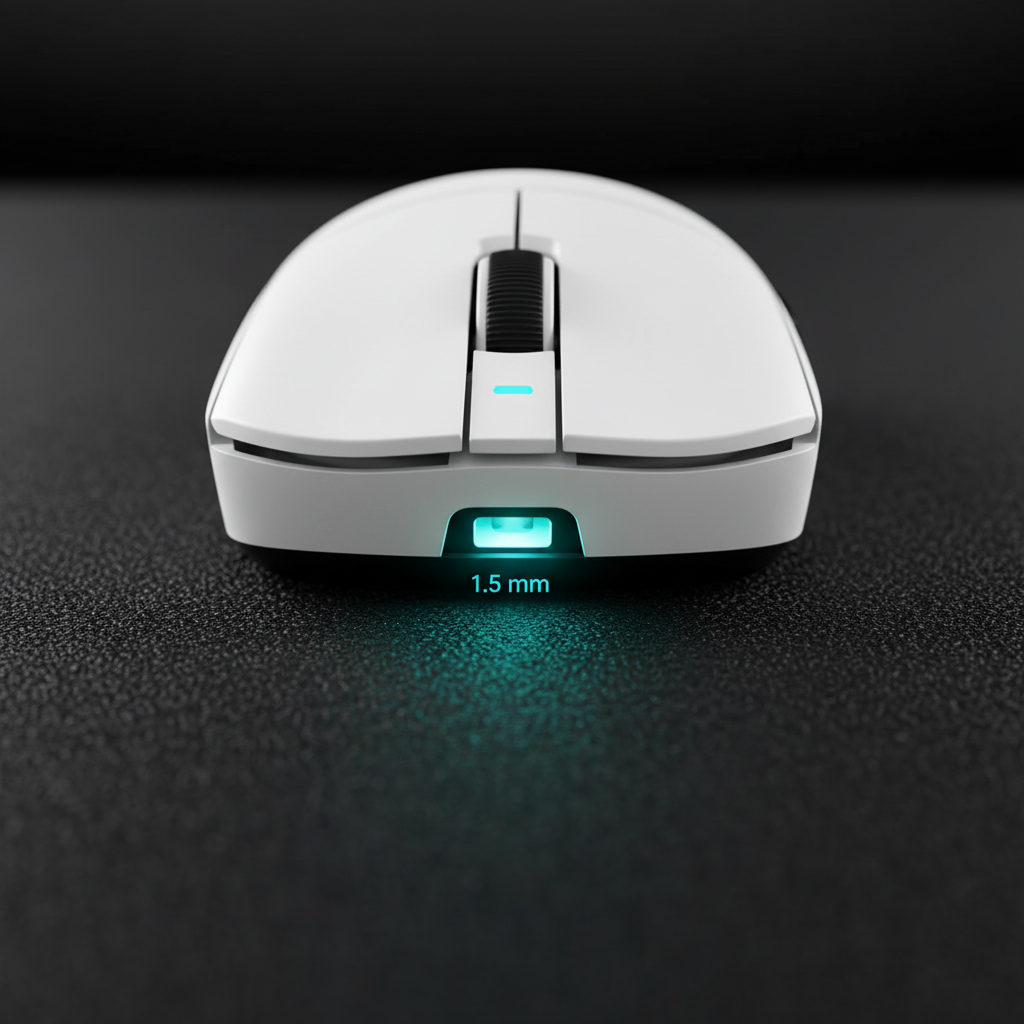
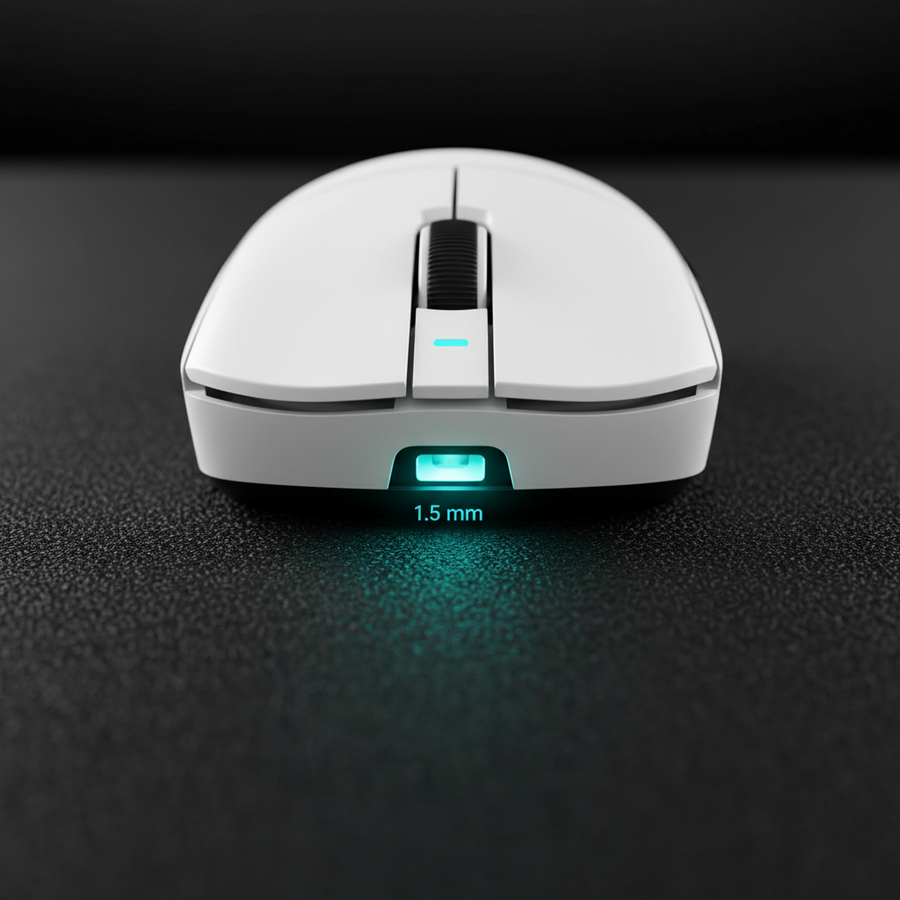
| LOD Threshold (Hybrid) | 1.5 - 1.8 | mm | Balance between lift-off noise and tracking stability |
Qualitative Meaning for the Player
For this archetype, setting the LOD too low (e.g., <1mm) is a high-risk strategy. Because large hands and arm aiming often lead to imperfect, slightly tilted lifts, an ultra-low LOD can cause the sensor to "stutter" mid-flick. We recommend a "Goldilocks" setting of ~1.5mm to 1.8mm. This provides enough headroom for aggressive physical movement while remaining low enough to prevent significant crosshair drift during the reset phase.
Modeling Transparency: This is a deterministic parameterized model, not a controlled lab study. Key assumptions include a constant finger lift velocity and idealized sensor behavior. Results may vary based on individual grip pressure and pad wear.
Technical Constraints: Polling Rates and Sensor Saturation
When optimizing your LOD, you must also consider your polling rate. High-performance mice now offer 4000Hz or even 8000Hz polling. At these frequencies, the sensor is sending data packets every 0.125ms (for 8K).
The 8K Polling Reality Check
To truly benefit from 8000Hz, you must provide the sensor with enough data. According to the Global Gaming Peripherals Industry Whitepaper (2026), saturating the 8000Hz bandwidth requires a combination of high IPS (Inches Per Second) and sufficient DPI.
- At 800 DPI: You must move the mouse at least 10 IPS to generate enough packets for an 8K signal.
- At 1600 DPI: Only 5 IPS is required.
Why this matters for LOD: If you are using 8000Hz with a very low LOD on a textured pad, the high frequency of data requests makes the system extremely sensitive to "micro-gaps" in tracking. A single millisecond of tracking loss due to an uneven lift is amplified at 8K, potentially causing the OS to drop the polling frequency or stutter. We recommend using a minimum of 1600 DPI when running high polling rates to ensure the sensor has a "dense" enough data stream to maintain stability through the lift-off transition.
The Calibration Heuristic: How to Find Your Ideal LOD
Rather than relying on generic software presets, we suggest a practical, evidence-backed test to find your optimal setting.
- The Stability Test: Set your LOD to the lowest possible setting (e.g., 1mm). Perform rapid, repetitive lift-and-place motions on your actual gaming pad. If the cursor moves consistently when the mouse is lifted 1-2mm, the LOD is too high.
- The Aggression Test: Perform your fastest in-game swipe (a 180-degree turn). If the tracking cuts out or the cursor "stutters" before your hand fully leaves the pad, your LOD is too low for your physical technique.
- The Surface Check: If you use a glass pad, start at 2mm. If you use a soft cloth pad, start at 1mm.
Common Pitfall: Many players forget that firmware stability is as important as the sensor itself. A flagship sensor like the PAW3395 is only as good as the software controlling it. Ensure you are using a stable driver environment to prevent the LOD from resetting mid-game—a common issue reported in community forums like r/MouseReview.
Trust, Safety, and Compliance: The Hidden Side of High Specs
As gamers push for higher performance (8K polling, ultra-light weights), the underlying hardware becomes more complex. High-spec wireless mice rely on high-capacity lithium-ion batteries and sophisticated RF (Radio Frequency) components.
Battery and Transport Safety
For those who travel to LAN events, it is vital to understand that high-performance peripherals are subject to international safety standards. According to the IATA Lithium Battery Guidance, devices containing lithium batteries must meet UN38.3 testing standards for safe air transport. Furthermore, competitive gear must adhere to FCC Part 15 regulations to ensure they do not cause or suffer from electromagnetic interference in high-density environments like esports arenas.
Always verify that your gear carries the necessary compliance marks (CE, FCC, RoHS). This isn't just about legality; it's about ensuring that your mouse doesn't fail—or worse, become a safety hazard—during a marathon session.
Optimizing for the Win
There is no "best" LOD, only the one that matches your hardware ecosystem and physical habits. A 1mm LOD offers the theoretical peak of precision for flick shots, but it requires a perfectly flat surface and disciplined lifting technique. For most arm aimers on hybrid pads, a slightly higher setting (1.5mm - 2.0mm) provides the necessary reliability to ensure that every flick lands exactly where it was intended.
By balancing sensor settings with pad choice and physical technique, you move beyond the "out of the box" experience and into professional-grade optimization.
Disclaimer: This article is for informational purposes only. Technical specifications and performance may vary based on firmware versions, surface wear, and individual hardware variations. Always consult your product's manual for specific calibration instructions.