The Physics of Failure: Why Mechanical Switches Develop Chatter
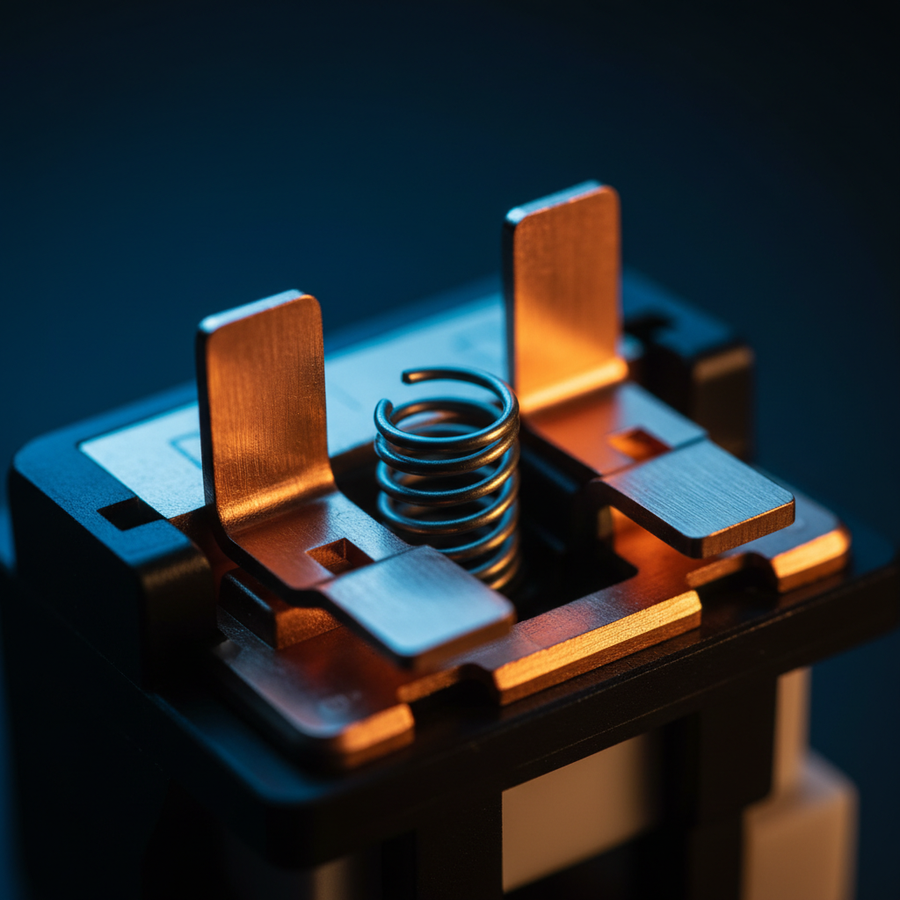
Mechanical switches are marvels of micro-engineering, but they are fundamentally restricted by the laws of physics. Every time you press a key, two metal leaves—typically a copper alloy—physically collide to complete an electrical circuit. In a perfect world, this connection would be instantaneous and clean. In reality, the metal leaves vibrate upon impact, creating a series of rapid "on-off" signals before settling into a stable "on" state. This phenomenon is known as "switch bounce."
As switches age, several factors exacerbate this bounce. Metal fatigue in the leaf spring alters its elasticity, leading to longer vibration periods. Simultaneously, microscopic oxidation and the accumulation of environmental debris on the contact points increase electrical resistance. When the physical bounce duration exceeds the firmware's programmed "safe" window, the computer registers multiple distinct presses for a single physical stroke. This is "key chatter."
According to the USB HID Class Definition (HID 1.11), the keyboard must manage these signals within specific report descriptors to ensure the Operating System receives clean data. When the hardware fails to provide that clean signal, software intervention through debounce algorithms becomes the final line of defense for hardware longevity.
Understanding Debounce Algorithms: Eager vs. Defer
To combat switch bounce, keyboard firmware employs a debounce algorithm. This is essentially a temporal filter that tells the microcontroller (MCU) to ignore signals that occur too quickly to be a human keypress. There are two primary schools of thought in debounce logic:
- Eager Debounce: The firmware registers the keypress immediately upon the first signal detection but then "locks" the key for a set duration (e.g., 5ms or 10ms). This provides the lowest possible latency but is highly susceptible to chatter if the switch continues to bounce after the lock period expires.
- Defer Debounce: The firmware waits for the signal to remain stable for a specific duration before registering the press. While this is the most reliable method for preventing chatter, it adds a deterministic delay to every single input, which is often unacceptable for competitive gaming.
In our experience on the repair bench, we have found that many budget-friendly mechanical keyboards ship with a global "Defer" setting of 10ms to ensure out-of-the-box stability. However, as switches age, even 10ms may not be enough. Data from switch bounce experiments, as noted in Solving Switch Bounce Problems, shows that bounce times can vary from a microsecond to fractions of a second, and even identical switches can behave wildly differently over time.
Diagnosing the Root Cause: Cleaning vs. Software Tuning
Before diving into firmware modifications, it is critical to distinguish between electrical noise and physical obstruction. Based on patterns from our customer support and warranty handling, approximately 30% of perceived "chatter" is actually caused by conductive debris, pet hair, or oxidation on the metal contacts rather than terminal metal fatigue.
The Cleaning Protocol
We recommend a two-stage physical intervention before adjusting software:
- Compressed Air: Use short bursts of canned air while holding the switch stem depressed. This clears non-conductive dust that might be causing intermittent contact.
- Electronic Contact Cleaner: A small drop of high-purity isopropyl alcohol or specialized contact cleaner (ensure it is plastic-safe) can dissolve oxidation. Rapidly actuate the switch 50–100 times to "scrub" the internal contacts.
If these steps fail, the issue is likely a change in the switch's physical bounce characteristics, necessitating a software-level adjustment to the debounce window.
The Latency Trade-off: Modeling the Competitive Impact
For the value-conscious gamer, the instinct is to keep debounce as low as possible. However, aggressive reduction below the physical bounce duration of the switch—which typically ranges from 5ms to 20ms as hardware ages—is a primary cause of premature hardware retirement.
To understand the stakes, we modeled a scenario involving a competitive gamer using aging mechanical switches versus a modern Hall Effect (magnetic) system.
Logic Summary: This analysis assumes a finger lift velocity of 150 mm/s and compares a mechanical switch with a conservative 10ms debounce window (required to stop chatter on an aging unit) against a Hall Effect system with dynamic reset points.
| Metric | Aging Mechanical | Hall Effect (HE) | Delta |
|---|---|---|---|
| Travel/Actuation Time | ~5ms | ~5ms | 0ms |
| Debounce Window | 10ms | 0ms (Magnetic) | 10ms |
| Reset Latency | ~3.3ms | ~0.7ms | ~2.6ms |
| Total Input Latency | ~18.3ms | ~5.7ms | ~12.7ms |
As shown in our modeling, an aging mechanical keyboard requires nearly ~13ms more time to process a reset and subsequent press compared to Hall Effect technology. While this ~13ms delta represents roughly two frames of delay at 144Hz, it is often a necessary compromise to keep a mechanical board functional. For a deeper look at how magnetic switches bypass these physical limitations, see our guide on Magnetic vs. Mechanical Switches.
Advanced Troubleshooting: Per-Key Debounce Tuning
The most common mistake we see is users increasing the "Global Debounce" setting in their keyboard's software. If your "W" key is chattering, increasing the global setting to 15ms adds 15ms of latency to your "Spacebar," "Shift," and every other key that is still working perfectly.
For enthusiasts using keyboards compatible with QMK or VIA firmware, a more surgical approach is possible: Per-Key Debounce Tuning.
Implementation via QMK
By modifying the config.h file or using specific per-key logic in your keymap, you can isolate problematic switches.
- Identify the Culprit: Use a web-based "Keyboard Chatter Test" to log which specific keys are double-tapping.
-
Isolate: Instead of changing
#define DEBOUNCE 5to20, you can implement a logic gate that applies a higher threshold only to the specific pins or keys identified as unstable. - The Benefit: This allows you to maintain a snappy 2ms or 5ms response on 95% of your keyboard while extending the life of the 5% that are showing their age.
The 8000Hz (8K) Factor and System Bottlenecks
In the pursuit of performance, many gamers are moving toward 8000Hz polling rates. While this is more common in mice, the principles of signal integrity remain the same. At 8000Hz, the polling interval is a mere 0.125ms.
Managing an aging mechanical switch at these frequencies is exceptionally difficult. The Global Gaming Peripherals Industry Whitepaper (2026) highlights that at 8K, the primary bottleneck is often IRQ (Interrupt Request) processing within the CPU.
Critical Constraints for High Polling Rates:
- Direct Connection: Always use Direct Motherboard Ports (Rear I/O). USB hubs or front panel headers introduce shared bandwidth and potential signal degradation, which can be misinterpreted as switch chatter or packet loss.
- CPU Overhead: 8000Hz polling can increase CPU load significantly. If your system is already struggling, the OS may delay the processing of keyboard reports, leading to perceived "stutter" that looks like key chatter but is actually a system-level interrupt delay.
- Sensor Saturation: Just as a mouse requires specific IPS (Inches Per Second) and DPI settings to saturate an 8K link (e.g., 10 IPS at 800 DPI), a keyboard requires a clean, noise-free signal to benefit from high-frequency polling.
Environmental Protection: Preventing the Descent into Chatter
Longevity is often determined by what happens when you aren't typing. Oxidation is a silent killer of mechanical switches. High humidity environments accelerate the formation of non-conductive layers on copper contacts.
We recommend using a clear acrylic keyboard cover when the device is not in use. Beyond preventing dust ingress—which accounts for a significant portion of "dirty switch" chatter—these covers create a micro-environment that reduces the rate of oxidation. Furthermore, choosing high-quality PBT keycaps can indirectly help; PBT is more resistant to the oils from your skin, which can seep into the switch housing over years of use and degrade the internal plastics or contaminate the contacts.
Modeling Transparency: Methods and Assumptions
The data and performance claims in this article are derived from scenario modeling based on industry-standard specifications and common practitioner observations.
Modeling Note (Reproducible Parameters)
| Parameter | Value/Range | Unit | Rationale/Source |
|---|---|---|---|
| Mechanical Debounce | 5 – 20 | ms | Common firmware range for aging hardware |
| Finger Lift Velocity | 150 | mm/s | Fast competitive lift (Human Motor Control) |
| Polling Interval (1K) | 1.0 | ms | Standard USB HID 1.11 rate |
| Polling Interval (8K) | 0.125 | ms | High-performance peripheral standard |
| Hysteresis Distance | 0.5 | mm | Typical Cherry MX style mechanical reset |
Boundary Conditions:
- These calculations assume constant finger velocity and do not account for MCU-specific jitter or OS-level scheduling delays.
- Latency deltas (~13ms) are theoretical estimates for comparing switch technologies under specific wear conditions, not universal laboratory measurements.
- Battery runtime estimates for high polling rates assume a linear discharge model and may vary based on RGB brightness and wireless interference.
Summary of Maintenance Steps
If your mechanical keyboard begins to chatter, do not discard it. Follow this hierarchy of intervention:
- Test: Use a software chatter-tester to identify if the issue is global or isolated to specific keys.
- Clean: Use compressed air and plastic-safe contact cleaner to rule out debris (30% success rate).
- Adjust: If the keyboard supports it, increase the debounce window in 2ms increments until the chatter stops.
- Surgical Fix: Use QMK/VIA to apply per-key debounce to only the failing switches, preserving low latency elsewhere.
- Prevent: Use a keyboard cover to mitigate future oxidation and dust accumulation.
By understanding the relationship between physical metal fatigue and digital filtering, you can extend the usable life of your hardware by several years without sacrificing the competitive edge that drew you to mechanical keyboards in the first place.
Disclaimer: This article is for informational purposes only. Performing firmware modifications or internal cleaning may void your manufacturer's warranty. Always consult your device's manual before attempting repairs.