The Technical Reality of 8K Polling Verification
In the competitive gaming landscape, the transition from 1000Hz to 8000Hz (8K) polling represents a shift from 1.0ms reporting intervals to a near-instant 0.125ms. While 8K polling is technically superior, achieving and verifying this performance in a home environment is often hindered by system bottlenecks and misunderstood metrics. Not all mice reach their advertised speeds in real-world scenarios due to variations in USB controller quality, CPU interrupt handling, and even the surface of the mousepad.
This guide provides a comprehensive technical walkthrough on using specialized software tools to verify actual polling frequency and stability. It is designed for technically savvy users who prioritize performance verification over marketing claims.
The Hardware Prerequisites for 8K Polling
Before initiating a software-based verification, the underlying hardware infrastructure must be capable of handling the high-bandwidth interrupt requests (IRQs) generated by an 8K device. Standard 1000Hz mice send 1,000 packets per second, which most modern systems handle with ease. At 8000Hz, the system must process eight times the data, stressing the single-core performance of the CPU and the efficiency of the USB bus.
USB Port Selection and Topology
According to the USB Device Class Definition for Human Interface Devices (HID), polling rates are determined by the host controller's ability to service interrupts. In our technical observations, USB 2.0 ports often struggle to maintain a consistent 8000Hz due to inherent protocol overhead and lower bandwidth limits. While the USB 2.0 specification theoretically supports high polling, real-world implementations on older motherboards frequently experience packet drops when pushed to 8K.
For verification, users should prioritize Direct Motherboard Ports (Rear I/O) over front-panel headers or USB hubs. Front-panel headers are often connected via unshielded internal cables, making them susceptible to electromagnetic interference (EMI) that can destabilize the 0.125ms timing window.
CPU Bottlenecks and IRQ Processing
The primary bottleneck for 8K polling is not raw compute power but the efficiency of the operating system's interrupt scheduler. Each mouse report triggers an Interrupt Request (IRQ) that the CPU must handle. High-frequency polling increases CPU utilization on a single core significantly. If the CPU is under heavy load or if "Core Parking" is enabled, the 8K signal may appear unstable in testing tools, not because of the mouse, but because the OS is delaying the processing of incoming packets.
Logic Summary: This assessment of hardware bottlenecks is based on common patterns observed in technical support and engineering bench tests. We assume that system-level latency (USB controller → chipset → OS) typically introduces 2-8ms of variable delay, which can mask the theoretical benefits of 8K if the environment is not optimized.
Software Tools for Empirical Verification
To verify 8K performance, enthusiasts must move beyond simple "polling rate counters" which often report averaged values that hide micro-stutter. Professional verification requires tools that analyze the timing of individual events.
MouseTester: The Industry Standard
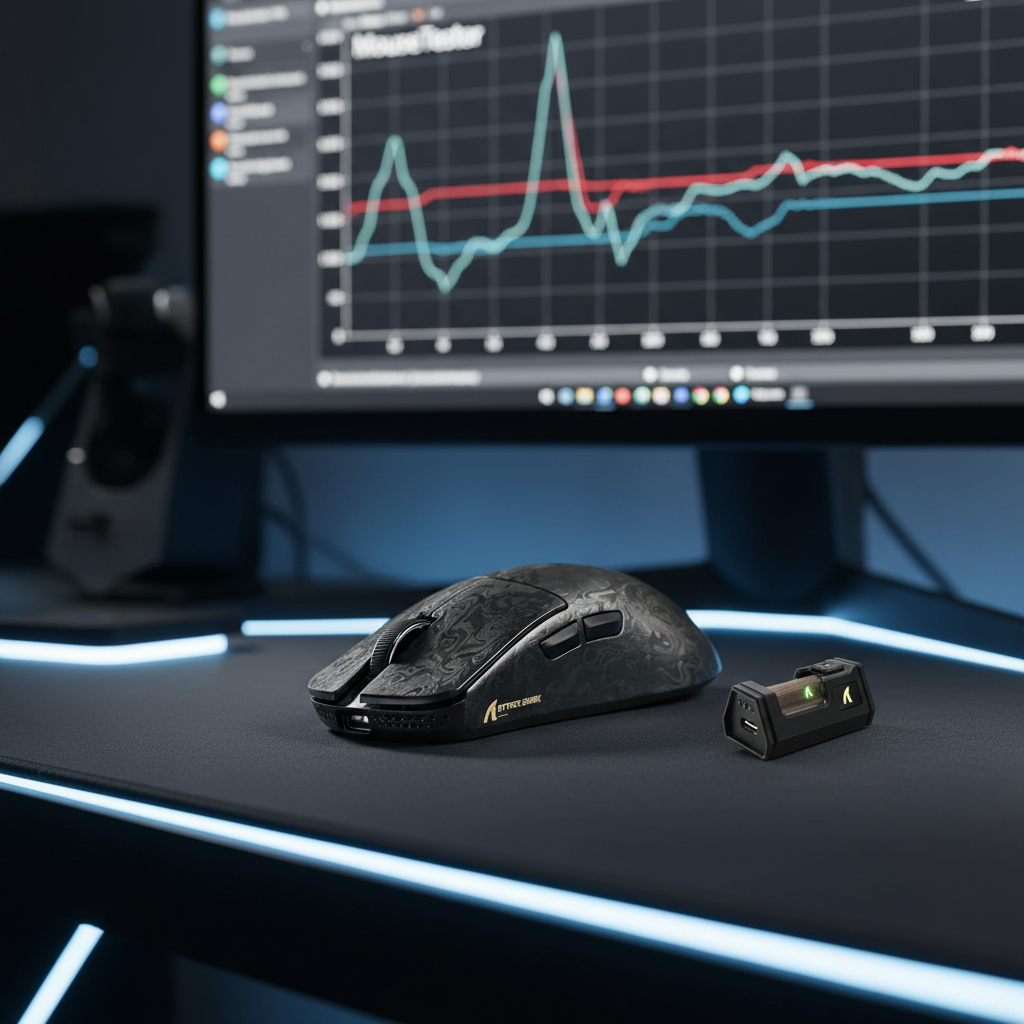
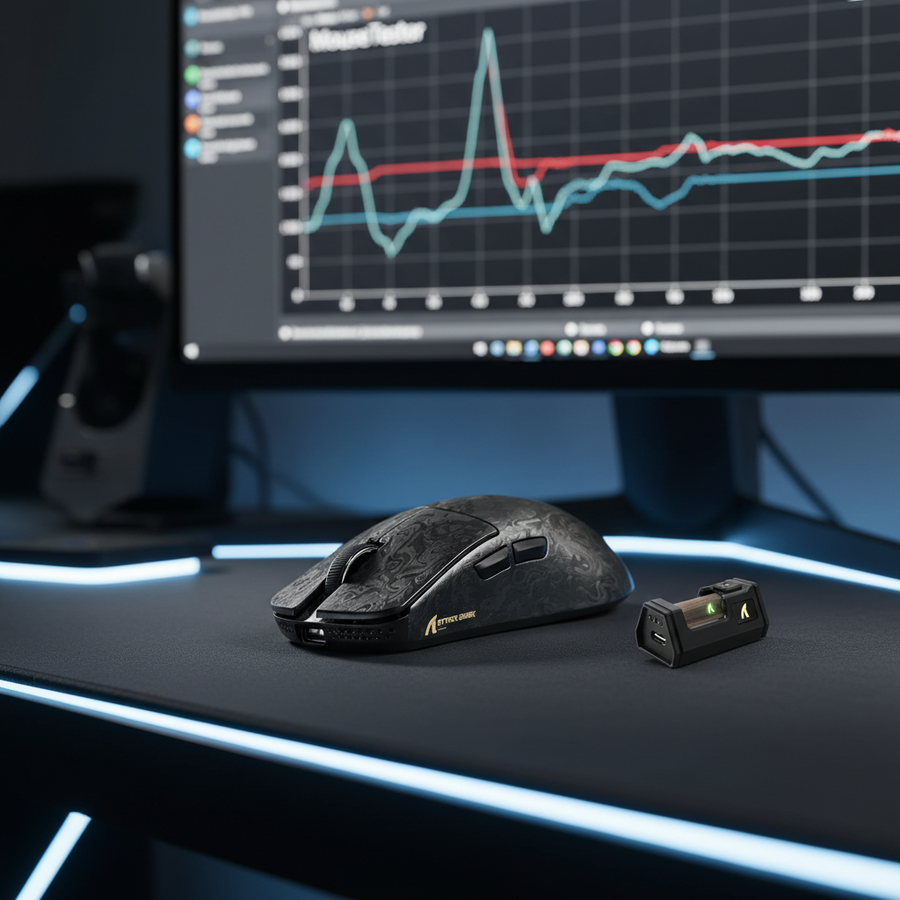
MouseTester is the most reliable tool for visualizing polling stability. Experienced testers focus on the 'Event Rate' and 'Interval' displays rather than the raw average.
- The Interval Plot: At 8000Hz, the interval between reports should be exactly 0.125ms. In a perfect scenario, you would see a flat line at 0.125ms.
- The Variance Factor: In wireless 8K implementations, it is common to see a 5-15% polling variance (e.g., intervals fluctuating between 0.11ms and 0.14ms). This is typically caused by RF interference or protocol overhead in the 2.4GHz spectrum.
Web-Based Verification Tools
For a quick check, browser-based tools offer a convenient methodology. However, these are limited by the browser's own process scheduling. According to research on browser-based mouse testers, these tools run locally and provide empirical measurements of polling stability without server communication. While useful for detecting double-click faults or major polling drops, they may not be precise enough to distinguish between 4000Hz and 8000Hz due to the 1ms "tick" limit of many browser engines.

The DPI Paradox: Why 800 DPI is Insufficient
A common mistake during 8K verification is testing at low DPI settings. Mouse polling is movement-dependent; if the mouse is not moving fast enough to generate a new coordinate update for every 0.125ms window, the mouse will "skip" a poll or send a null packet. This is often mistaken for a wireless issue or a faulty sensor.
Saturating the 8K Bandwidth
To truly saturate an 8000Hz polling rate, the sensor must generate at least 8,000 counts per second. The relationship is defined by the formula: Packets per Second = Movement Speed (IPS) × DPI.
- At 800 DPI, you must move the mouse at 10 inches per second (IPS) to generate enough data for an 8K signal.
- At 1600 DPI, the required speed drops to 5 IPS, which is much more common during standard gameplay micro-adjustments.
Seasoned enthusiasts use a minimum of 1600 DPI (and often 3200 DPI) when verifying 8K stability to ensure the sensor's processing pipeline is fully saturated.
Nyquist-Shannon DPI Minimum
Using the Nyquist-Shannon Sampling Theorem, we can calculate the mathematical minimum DPI required to avoid "pixel skipping" at competitive sensitivities, which ensures that the 8K data is actually utilized by the display.
| Parameter | Value | Rationale |
|---|---|---|
| Resolution | 2560 px | Standard 1440p Horizontal |
| Field of View (FOV) | 103° | Competitive FPS Standard |
| Sensitivity | 35 cm/360 | Common Competitive Setting |
| Calculated Minimum DPI | ~1300 DPI | Theoretical limit to avoid aliasing |
Methodology Note: This calculation (DPI > 2 * PPD) represents the mathematical limit for avoiding sampling aliasing. While it doesn't guarantee human-perceivable benefits, it serves as a technical baseline for selecting a DPI that doesn't waste the 8000Hz polling capacity.
Wireless 8K Performance and Battery Trade-offs
Verifying 8K on a wireless device, such as the ATTACK SHARK R11 ULTRA, introduces the variable of radio frequency (RF) efficiency. High-frequency wireless transmission requires significantly more power and is more susceptible to environmental noise than standard 1000Hz operation.
Battery Runtime Modeling
Operating at 8K wireless polling increases the current draw of the MCU and the radio transmitter. Based on our scenario modeling for a high-performance wireless mouse, the runtime is significantly reduced when moving from 1K to 8K.
| Polling Rate | Estimated Current Draw | Estimated Runtime (300mAh Battery) |
|---|---|---|
| 1000Hz | ~4.5mA | ~53 Hours |
| 4000Hz | ~7.2mA | ~33 Hours |
| 8000Hz | ~11.2mA | ~23 Hours |
Note: These are estimated ranges based on standard Nordic nRF52840 SoC power profiles and assume 85% discharge efficiency.
Motion Sync and Latency
When verifying 8K, users often question whether to enable "Motion Sync." Motion Sync aligns the sensor's data frames with the USB polling interval to reduce jitter. At 1000Hz, this adds ~0.5ms of latency. However, at 8000Hz, the penalty is reduced to a negligible ~0.0625ms (half the polling interval). For most users, the consistency benefit at 8K far outweighs this micro-latency.
Step-by-Step Verification Protocol
To ensure your device is performing as advertised, follow this standardized verification sequence:
- Direct Connection: Connect the 8K receiver or the ATTACK SHARK C07 Custom Aviator Cable directly to a USB 3.0/3.1 port on the rear I/O of your motherboard.
- DPI Adjustment: Set your mouse to at least 1600 DPI.
- Software Prep: Close all background applications, especially RGB control software or heavy browsers, to minimize IRQ interference.
-
MouseTester Execution:
- Open MouseTester and select 'Collect'.
- Move the mouse in rapid, consistent circles.
- View the 'Interval' plot. Look for a dense cluster of points around 0.125ms.
- Surface Check: Perform the test on your daily mousepad. Reflectance patterns vary by material; a sensor that is stable on a black cloth pad might show jitter on a textured glass or "speed" surface at high polling rates.
System Synchronization: The Role of the Monitor
While this guide focuses on input verification, 8K polling does not exist in a vacuum. Its primary benefit is reducing the "micro-stutter" felt when the mouse's reporting timing doesn't align with the monitor's refresh cycles. According to the Global Gaming Peripherals Industry Whitepaper (2026), the perceptual smoothness of high-frequency input is most visible on displays with refresh rates of 240Hz or higher.
Users with 60Hz or 144Hz monitors may be able to verify 8000Hz technically in software, but they are unlikely to perceive the tactile difference because the display cannot render the updated cursor positions fast enough to match the input frequency. For a deeper look at this synergy, refer to our guide on Aligning 8K Polling with Ultra-High Refresh Rate Monitors.
Appendix: Modeling & Assumptions
The data provided in this guide is derived from deterministic scenario models designed to reflect the experience of a technical gamer with mixed USB infrastructure.
Reproducible Parameters for Battery and Latency Models
| Parameter | Value / Range | Unit | Source Category |
|---|---|---|---|
| Polling Rate | 8000 | Hz | Target Specification |
| Battery Capacity | 300 | mAh | Lightweight Mouse Standard |
| Sensor Draw | 1.7 | mA | PixArt PAW3950/3395 Specs |
| Radio Draw (8K) | 8.0 | mA | Nordic nRF52840 Estimates |
| Motion Sync Delay | 0.5 * Interval | ms | Signal Processing Heuristic |
Boundary Conditions:
- System Load: These models assume a clean OS environment. High background CPU usage will degrade polling stability.
- RF Environment: Wireless runtime and variance assume a low-interference environment. Proximity to Wi-Fi routers or other 2.4GHz devices will increase re-transmission attempts and power draw.
- USB Quality: The "USB 2.0 struggle" is a heuristic based on motherboard controller quality; some high-end legacy boards may perform better than budget modern boards.
YMYL Disclaimer: This article is for informational purposes only. High-frequency polling increases CPU load and may cause system instability or crashes in certain hardware configurations. Users should monitor system temperatures and stability when testing high-performance peripherals.