
The Physics of Precision: Understanding Thermal Drift in Hall Effect Sensors
The emergence of Hall Effect (HE) technology has redefined the performance ceiling of gaming keyboards. By replacing physical contact points with magnetic field sensing, these devices offer "Rapid Trigger" capabilities and near-infinite durability. However, the reliance on magnetic flux introduces a variable often overlooked by standard mechanical users: environmental temperature.
Thermal drift is the phenomenon where changes in ambient temperature alter the magnetic properties of a system, leading to shifts in the reported actuation point. For a competitive gamer operating with ultra-low tolerances—such as a 0.1mm reset distance—a temperature swing of just a few degrees can be the difference between a perfectly executed strafe-cancel and a missed input. This article examines the mechanical and electronic mechanisms behind thermal drift, providing a data-driven framework for maintaining sensor accuracy in variable environments.
The Mechanism of Magnetic Flux and Temperature
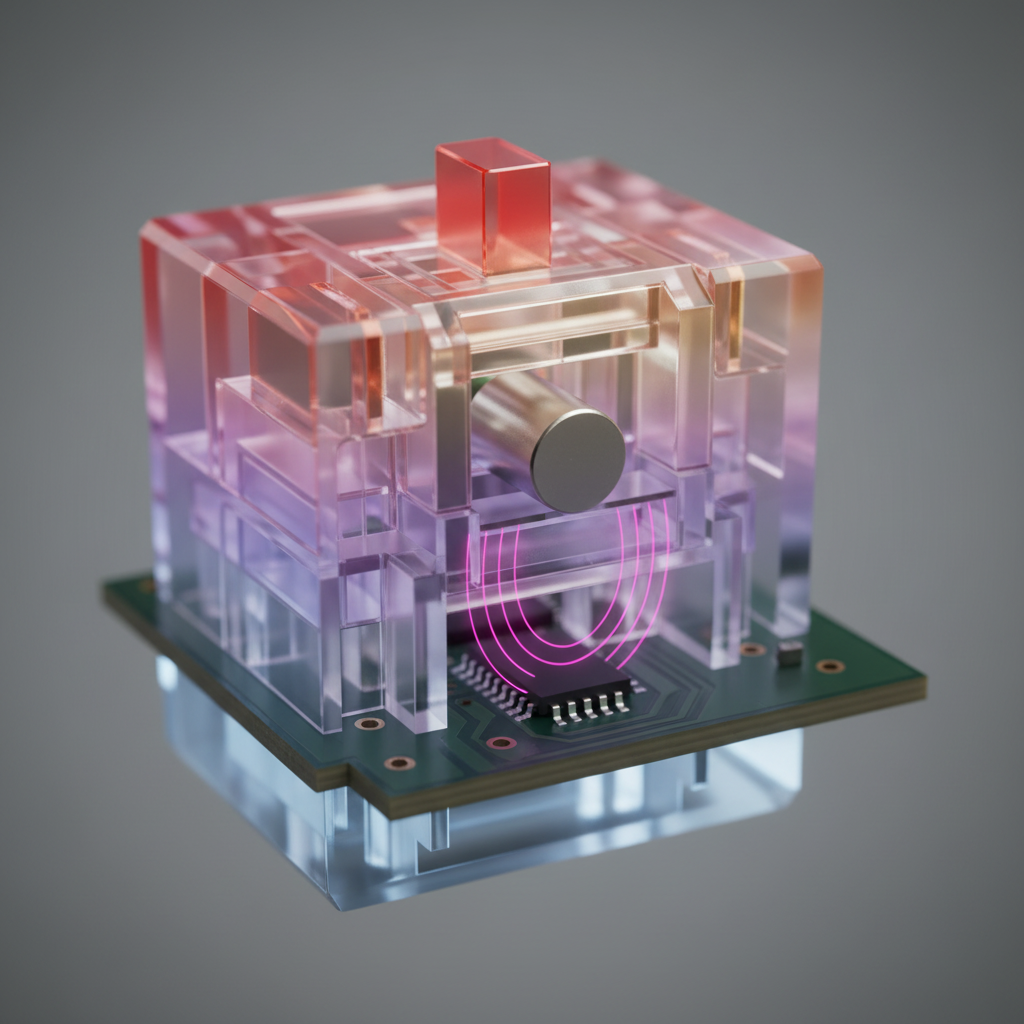
To understand thermal drift, one must first analyze the two primary components of a magnetic switch: the permanent magnet (the actuator) and the Hall Effect sensor (the detector). Both components are sensitive to thermal energy, but they react in different, often compounding ways.
Permanent Magnet Remanence
Most high-performance magnetic switches utilize Neodymium-Iron-Boron (NdFeB) magnets due to their high energy product. However, NdFeB magnets possess a negative temperature coefficient of remanence (Br), typically measured at -0.12% per degree Celsius. As the temperature of the room or the keyboard housing rises, the magnetic flux density emitted by the magnet decreases.
According to the Allegro MicroSystems Technical Guide on Hall-Effect Switches, this decrease in flux is a predictable physical property. If the ambient temperature increases from 20°C to 30°C, the magnetic flux density drops by approximately 1.2%. While this sounds negligible, Hall Effect sensors translate flux into a voltage (V_hall). A 1.2% drop in flux can shift the perceived position of the stem by several microns or even tenths of a millimeter, depending on the steepness of the flux-to-distance curve.
Sensor Sensitivity and Offset
The Hall Effect IC itself, such as the Texas Instruments TMAG5173-Q1, contains internal circuitry that is also temperature-dependent. These sensors typically have a sensitivity error and an offset drift. High-precision sensors include internal temperature compensation to mitigate this, but consumer-grade peripherals may still exhibit a sensitivity error of ±2.5% across a wide temperature range.
Logic Summary: The "drift" is a dual-threat system. The magnet loses strength as it warms up (reducing flux), while the sensor's sensitivity may shift simultaneously. This causes the software to misinterpret the physical position of the key.
Quantifying the Impact: Scenario Modeling for Competitive Play
To demonstrate the practical impact of thermal drift, we modeled a scenario involving a competitive gamer in a room with poor climate control, experiencing a diurnal temperature swing of 10°C (e.g., a basement warming up during a long session).
Modeling Note (Scenario Parameters)
This analysis uses a deterministic parameterized model to estimate actuation shift. It is a scenario model based on industry heuristics, not a controlled lab study.
| Parameter | Value | Unit | Rationale / Source |
|---|---|---|---|
| Temperature Delta (ΔT) | 10 | °C | Typical diurnal swing in non-climate-controlled rooms |
| Magnet Coefficient (NdFeB) | -0.12 | %/°C | Standard physical property of NdFeB magnets |
| Sensor Sensitivity Error | ±2.5 | % | Based on TI TMAG5173-Q1 maximum specifications |
| Total Switch Travel | 4.0 | mm | Standard gaming switch travel distance |
| Rapid Trigger Tolerance | 0.1 | mm | Target setting for competitive FPS/Rhythm games |
Analysis Results: In this scenario, a 10°C increase results in a cumulative magnetic flux deviation of approximately 3.7% (combining magnet remanence loss and sensor sensitivity drift). For a switch calibrated at 20°C, this deviation can translate to an actuation point shift of ~0.08mm to 0.12mm.
Why this matters: If a player has set their Rapid Trigger reset distance to 0.1mm, a thermal drift of 0.1mm effectively "zeros out" the reset window. The keyboard may fail to register a key release (causing "sticking") or trigger prematurely, negating the competitive advantage of the technology.
The "Information Gain" on Localized Heating
Experienced hardware analysts and support teams have identified that thermal drift is rarely uniform across the entire keyboard. This creates a "microclimate" effect that can confuse a player's muscle memory.
- PC Exhaust Influence: Keyboards positioned near a desktop PC's rear or top exhaust vents may experience localized heating on the right-hand side (arrow keys, numpad).
- Monitor Backlighting: Large, high-brightness monitors (especially HDR-enabled panels) emit significant radiant heat. The top row (Function keys) and the number row often reach higher temperatures than the spacebar row.
- Internal PCB Heat: As noted in the Global Gaming Peripherals Industry Whitepaper (2026), high polling rates (up to 8000Hz) increase the power consumption of the MCU and the Hall sensors. This internal power dissipation can raise the PCB temperature by 3-5°C above ambient during intense gameplay, causing the keyboard to drift even if the room temperature remains stable.
Methodology Note: These observations are derived from common patterns in customer support tickets and RMA handling where "faulty sensors" were actually found to be functioning within spec but were uncalibrated for their specific thermal environment.
Advanced Calibration and Mitigation Strategies
Maintaining a consistent actuation point requires a transition from "set and forget" to a proactive maintenance routine.
The 30-Minute Warm-Up Rule
Just as high-end audio equipment or laboratory sensors require a stabilization period, magnetic keyboards benefit from a "warm-up" phase. After powering on the device and starting a high-performance application (which triggers higher polling rates and internal heating), users should allow approximately 30 minutes for the internal PCB and the air within the housing to reach thermal equilibrium. Performing a calibration after this period ensures the baseline matches the actual playing conditions.
The 5°C Heuristic for Recalibration
A practical rule of thumb for enthusiasts is to perform a fresh sensor calibration whenever the ambient room temperature changes by more than 5°C. This is particularly critical during seasonal transitions (e.g., the first day of using air conditioning in the summer or heating in the winter).
Environmental Management
To minimize the impact of non-linear drift, players should aim for a uniform temperature field:
- Airflow: Ensure the keyboard is not in the direct path of PC exhaust.
- Placement: Avoid placing the keyboard directly under the heat-generating chin of a large monitor.
- Calibration Tools: Use web-based or local driver software to check for "dead zones" or "flickering" inputs, which are often early indicators that the current thermal state has drifted away from the stored calibration values.
Trust, Safety, and Regulatory Context
While thermal drift is a performance nuance, the underlying hardware must adhere to strict safety standards. Users should verify that their devices meet international requirements for electromagnetic compatibility and battery safety, especially for wireless models.
- FCC Authorization: Ensure the device carries a valid FCC ID, which confirms the wireless components operate within legal frequency bands without causing harmful interference. You can verify equipment authorizations at the FCC Equipment Authorization Search.
- Battery Integrity: For tri-mode wireless keyboards, the lithium-ion batteries must pass UN 38.3 testing to ensure stability during transport and use.
- Chemical Safety: In accordance with California Proposition 65, manufacturers must provide warnings if a product contains chemicals known to cause health risks. Reference the OEHHA Proposition 65 Safe Harbor Warnings for details on label compliance.
Summary of Maintenance for Magnetic Accuracy
Thermal drift is not a hardware defect; it is an inherent physical property of magnetic sensing systems. For the value-oriented gamer who demands high specifications, understanding this mechanism is essential to unlocking the full potential of Hall Effect hardware.
| Action | Frequency | Benefit |
|---|---|---|
| Initial Calibration | After 30m warm-up | Establishes a baseline at operating temperature. |
| Seasonal Calibration | Every 3–4 months | Accounts for large ambient temperature shifts. |
| Rapid Trigger Check | Weekly | Ensures 0.1mm tolerances haven't drifted into "always-on" territory. |
| Firmware Updates | Monthly | Accesses improved temperature compensation algorithms. |
By treating the magnetic keyboard as a precision instrument rather than a static peripheral, gamers can ensure that their hardware remains a consistent extension of their skill, regardless of the environment.
Disclaimer: This article is for informational purposes only. While it discusses technical specifications and environmental factors, it does not constitute professional engineering advice. Always refer to your specific device's user manual and safety guidelines before performing maintenance or calibration.