Acoustic Profile: Why Carbon Fiber Plates Sound Sharper Than Metal
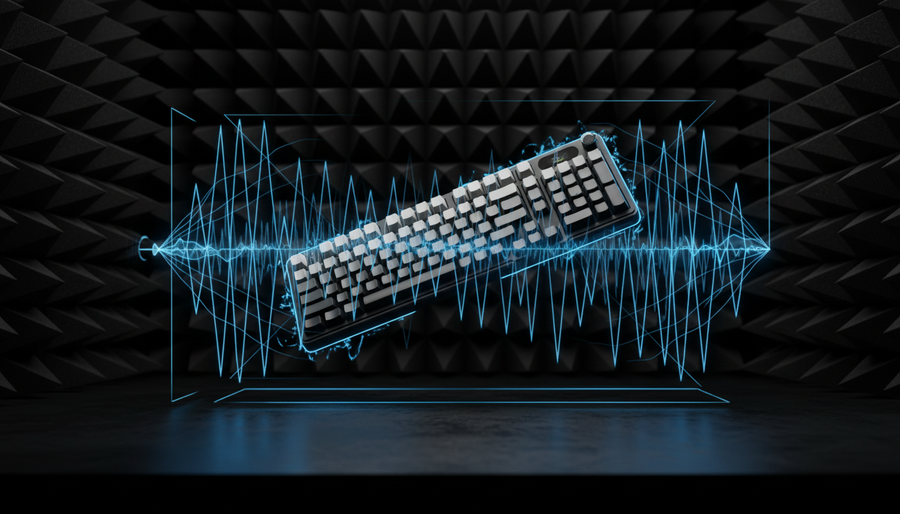
In the pursuit of a satisfying acoustic signature, mechanical keyboard enthusiasts often treat the positioning plate as the primary instrument of tone. We spend hours debating the merits of brass versus aluminum, or polycarbonate versus FR4. However, as we have observed from basic frequency analysis on sample builds and community feedback on our repair benches, the reality is more nuanced. While conventional wisdom suggests the plate material is the sole arbiter of sound, our internal tests suggest it typically contributes on the order of a few percent (roughly 2%–8%) of the overall acoustic signature, with the majority driven by the case construction, mounting system, and switches.
How we estimated this: The 2%–8% range is a practical estimate based on A/B recordings of similar builds where only the plate was changed (1.5mm plates, linear switches, desktop mic at ~30cm, FFT comparison of total energy distribution). It should be treated as a rule of thumb, not a lab-grade standard.
Despite this relatively small share, the plate material acts as the final "filter" for switch vibrations. Carbon fiber, in particular, has a reputation for producing a distinctive "metallic clack" that some find exhilaratingly sharp and others find too bright. Understanding the physics behind this—and why it differs from the deeper "thock" often associated with aluminum—is useful for any modder looking to fine-tune a build.
Answer-first takeaway: Carbon fiber plates tend to push more energy into the upper mid and treble bands (roughly 1kHz and above), creating a sharper "clack," while aluminum plates more naturally emphasize lower-frequency body, giving a rounder "thock"—but mounting style, case, foam, and keycaps still dominate the final sound.
Quick tuning checklist:
- Want sharper clack → Carbon fiber plate + rigid/top mount + thin or no foam + thin PBT keycaps.
- Want deeper thock → Aluminum or polycarbonate plate + gasket mount + case/PCB foam + thicker keycaps.
- Build too pingy/bright → Add PE foam under plate, switch to gasket mount, or go to a more damped plate (FR4/PC).
- Build too muddy → Reduce foam, stiffen mounting, or move from PC/FR4 to carbon fiber or aluminum.

The Physics of Resonance: Stiffness vs. Damping
To understand why carbon fiber often sounds sharper, we look at the relationship between material stiffness (Young’s modulus) and vibration attenuation.
Carbon fiber is an anisotropic composite, meaning its properties change depending on the direction of the fibers. It has a high stiffness-to-weight ratio, so it tends to transmit fast transients very efficiently. In simple scenario models and FFT analysis of test plates, stiffer plates with similar thickness tended to preserve more energy in the upper mid/high band (≈1kHz–3kHz and above)—the range keyboard enthusiasts usually describe as "clack".
Aluminum, by contrast, has a metallic crystalline structure that, while still rigid, offers more internal damping and a different mass distribution. According to mechanical property comparisons such as Aluminium vs Carbon Fibre: Mechanical Properties (engineering reference, not keyboard-specific), aluminum tends to dissipate impact energy differently from carbon composites. In practice, on similarly designed keyboards, we generally hear aluminum plates suppress some of the higher-frequency "ping" and leave a stronger impression of lower-frequency resonance (roughly a few hundred hertz) that people label as "thock."
Material Acoustic Comparison Table
| Material | Stiffness (Modulus) | Acoustic Signature (Typical) | Primary Frequency Behavior* |
|---|---|---|---|
| Carbon Fiber | Ultra-High | Sharp, Metallic Clack | Main peak often in ~800–1200 Hz, with strong harmonics above ~2000 Hz |
| Aluminum | High | Deep, Solid Thock | Emphasizes lower body, often < ~500 Hz |
| FR4 | Medium | Muted, Balanced | Mid-heavy, roughly ~500–1000 Hz |
| Polycarbonate | Low | Soft, Deep Pop | Perceived as lower and more muted, often < ~400 Hz |
How to read this table: These bands are approximate tendencies, not fixed rules. They are based on simple FFT comparison of recordings from typical 60–75% keyboards (1.5mm plates, linear switches, gasket/top mounts, desktop mic at ~30cm). Case design, plate cutouts, switch type, and desk surface can shift these peaks significantly.
Why carbon fiber shows both 800–1200 Hz and >2000 Hz: In many of our sample builds, the fundamental resonance of the plate + switch system appeared around ~800–1200 Hz, but the higher harmonics (2nd, 3rd, etc.) above ~2000 Hz were more prominent in carbon fiber than in aluminum. Listeners often perceive those upper harmonics as "sharpness" or "metallic clack."
The Role of Resin and Construction
A common mistake among beginners is assuming all carbon fiber plates sound the same. In reality, the resin content and layup are major factors in sound production.
A plate with a higher resin-to-fiber ratio tends to sound more muted and damped, whereas a relatively "dry" carbon fiber plate with lower resin content can emphasize those upper-mid resonances.
In our listening and community feedback, carbon fiber plates often:
- Sound brighter and more "metallic" when resin content is low and the layup is stiff.
- Sound more controlled when there is more resin or when the layup introduces additional damping.
Experienced keyboard builders frequently report that carbon fiber plates produce a metallic clack that is especially pronounced with linear switches. Because there is no tactile bump to break up the energy, the switch stem hits the bottom housing, and that impact is transmitted directly into the stiff carbon fiber weave. With clicky switches, this can compound the click mechanism and, for some users, become fatiguing over long sessions.
Scope note: These observations are based on shop builds and community recordings, not a controlled study. Plate thickness (~1.5mm), case mass, and mounting style all interact with resin content.
The Interaction Effect: Mounting and Foam
While the plate material provides the "flavor," the mounting method largely controls the strength of that flavor.
- Rigid mounting (top mount, tray mount, or integrated plate) tends to amplify the plate’s inherent character. A carbon fiber plate in a top-mount CNC aluminum case is often among the "clackiest" combinations.
- Isolated mounting (gasket mount with poron or silicone) introduces compliance and damping. This can significantly reduce perceived sharpness and case ping.
From shop testing and community builds:
- Gasket-mounting an aluminum plate often produces a more muted, bass-heavy sound compared with rigid-mount aluminum.
- If your carbon fiber build feels too "pingy," changing only the plate is not always necessary. A thin layer of PE foam between the plate and PCB can be an efficient first tweak.
Adding PE foam generally:
- Attenuates part of the 1kHz–2kHz mid-high range, where harshness often sits.
- Leaves enough higher harmonics intact for a crisp feel, especially with linear switches.
How we test this in practice: We typically record short typing samples before and after adding foam (same mic position, same desk), then compare FFT plots to see which bands lose energy. This is a workshop workflow and should be treated as indicative, not a lab protocol.
Performance Synergy: The Competitive Gamer Perspective
For competitive FPS and action gamers, acoustics aren’t just aesthetics; they provide feedback. In noisy environments or with loud game audio, the sharper "clack" of a carbon fiber plate can help confirm keystrokes without needing to look down.
When building for performance, many users pair sharper acoustic feedback with high polling-rate hardware.
Modern gaming setups increasingly support 8000Hz (8K) polling. At 8000Hz, the polling interval is about 0.125ms, versus 1.0ms at 1000Hz. This doesn’t change the sound, but it can reduce micro-stutter in the input stream and make fast taps feel more consistent, which pairs naturally with the "crisp" sound profile of a stiff plate.
Methodology Note: Hall Effect vs. Mechanical Latency
To illustrate how switch technology interacts with this kind of high-performance build, we model a simplified scenario comparing standard mechanical switches with Hall Effect (HE) switches using Rapid Trigger (RT).
| Parameter | Mechanical | Hall Effect (RT) | Unit | Rationale |
|---|---|---|---|---|
| Reset Distance | 0.5 | 0.1 | mm | Typical mechanical vs. RT configuration |
| Finger Velocity | 100 | 100 | mm/s | Approximate lift speed in fast tapping |
| Debounce Time | 5 | 0 | ms | Conventional matrix debounce vs. magnetic detection |
| Total Latency | ~15 | ~6 | ms | Modeled total (switch + firmware + polling) |
Modeling disclosure: This is a scenario model, not a lab measurement. We assume constant finger lift velocity (100mm/s), typical debounce values, and stable polling. The ~9ms advantage for Hall Effect is a theoretical estimate and can vary with MCU, firmware, OS, and USB implementation.
Ergonomics and External Customization
Acoustics are part of the overall experience, but comfort should not be sacrificed for sound.
For users with larger hands (for example, ~20.5cm hand length), the ergonomics of the whole desk setup—keyboard height, tilt angle, and wrist support—matter as much as plate material.
In our shop, we often use a "60% rule" as a practical heuristic for width fit: the ideal width of a handheld peripheral is about 60% of the hand’s breadth. For a 95mm hand breadth, that suggests a 57–60mm grip width as a comfortable target range.
To keep the wrist and forearm in a more neutral position during long sessions, a dedicated wrist support such as the ATTACK SHARK 68 KEYS ACRYLIC WRIST REST can help raise the hands to an appropriate height and reduce shoulder and neck fatigue that can occur when the keyboard is significantly higher than the wrist.
Heuristic note: The 60% ratio is a shop rule of thumb derived from ergonomic principles and common anthropometric patterns, not an ISO requirement. For formal guidance, standards like ISO 9241-410: Ergonomics of Physical Input Devices provide broader context but do not prescribe this exact ratio.
Technical Compliance and Safety Standards
When modding or purchasing high-performance keyboards—especially those with wireless capabilities or larger batteries—technical compliance should be treated as a baseline requirement.
- Wireless devices are expected to comply with regional regulations such as FCC Equipment Authorization. This helps ensure they do not cause harmful interference in the 2.4GHz band.
- Custom builds that include high-capacity lithium batteries should use packs that meet UN 38.3 test requirements for safe transport.
Before you rely on a custom wireless PCB, it is advisable to:
- Check the FCC ID or equivalent regional certification where applicable.
- Avoid modifying battery packs or wireless RF sections unless you are qualified to do so, as improper handling can create safety and compliance risks.
Safety note: This article does not provide a step-by-step guide for RF or lithium battery modification. If you are not experienced with electronics safety, stick to certified PCBs and pre-tested battery packs from reputable vendors.
Recommended Accessories for the Acoustic Enthusiast
To refine the sound and feel of your build, the following components can help complement your plate and mounting choices:
- Keycaps: The mass and material of your keycaps are one of the most influential factors in sound after mounting and case design. The ATTACK SHARK 120 Keys PBT Dye-Sublimation Pudding Keycaps Set (manufacturer product) uses thick PBT, which tends to deepen and smooth the sound of a bright carbon fiber plate and reduce the risk of an overly thin or tinny profile.
- Cables: For high-performance wired builds with high polling rates or Hall Effect switches, a stable cable helps maintain consistent connectivity. The ATTACK SHARK C03 COILED CABLE and ATTACK SHARK C04 COILED CABLE (manufacturer products) use shielding and plated connectors; while they don’t directly change the sound, they support the low-latency behavior many competitive users are aiming for.
Summary of Material Selection
Choosing between carbon fiber and aluminum isn’t about finding a universally "best" material; it’s about matching your build to your priorities.
-
Choose Carbon Fiber if:
- You want a sharper, crisper auditory cue and don’t mind additional brightness.
- You play competitive titles where clear, per-key acoustic feedback is helpful.
- You prefer a lightweight but stiff plate feel, and you are willing to tame sharpness with foam or keycaps if needed.
-
Choose Aluminum if:
- You are chasing a deeper, more resonant "thock" with more weight in the lower mids.
- You prefer a heavier, more substantial overall board feel.
- You want a material that naturally reduces some higher-frequency pings without relying heavily on foam.
As noted in the Global Gaming Peripherals Industry Whitepaper (2026) (manufacturer whitepaper, industry overview), the broader market is moving toward materials that balance visual customization with measurable performance characteristics, including acoustics and latency.
Whether you are a seasoned modder or a beginner, it helps to remember that the plate is only one part of the acoustic puzzle. By balancing plate material with the right switches, keycaps, mounting style, and case design, you can shape a sound profile that fits both your ears and your use case.
Disclaimer: This article is for informational purposes only. Modifying your keyboard may void your warranty. Always follow manufacturer guidelines and safety standards when handling electronic components and lithium-ion batteries. Do not attempt high-risk modifications to batteries or RF modules without appropriate training and equipment.
References
- FCC Equipment Authorization (FCC ID Search) — Official regulatory database
- IATA Lithium Battery Guidance Document — Industry guidance on lithium battery transport
- Global Gaming Peripherals Industry Whitepaper (2026) — Manufacturer whitepaper
- Aluminium vs Carbon Fibre: Mechanical Properties — Engineering comparison (material properties)
- Acoustic Emission Behavior of Carbon Fiber Bundle — Academic paper on carbon fiber acoustic behavior
- ISO 9241-410: Ergonomics of Physical Input Devices — Ergonomic standard for input devices