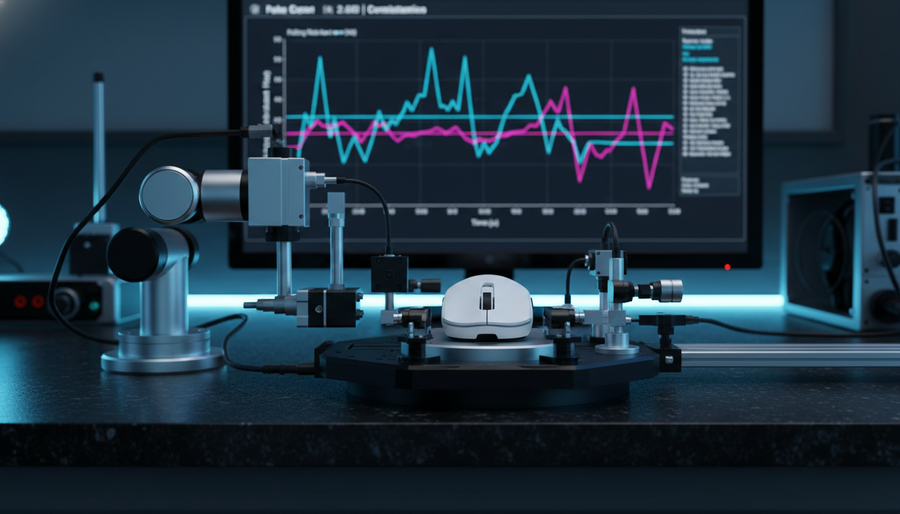
Key Takeaways: Browser vs. Local Polling Rate Tests
- For high polling rates (e.g., 8000Hz), browser tests are useful for quick checks but tend to under-report or fluctuate, especially under load.
- Local executable tools are generally more reliable for precise polling verification because they use high‑resolution timers and access the HID stack more directly.
- To interpret any specific numbers (like “10–15% variance” or “~0.8ms latency”), treat them as example values under stated test conditions, not universal guarantees. See the "How We Derived the Example Numbers" section for one reproducible setup.
The Verification Dilemma: Why Polling Rate Benchmarks Vary
For competitive gamers, technical specifications are a key indicator of potential performance. When a high-performance peripheral claims an 8000Hz polling rate—corresponding to a 0.125ms reporting interval—the natural instinct is to verify that claim using available tools. However, many users encounter a discrepancy: a browser-based test might show results fluctuating in a lower range, while local diagnostic software reports a more stable value close to the advertised polling rate.
This "specification credibility gap" often stems not from hardware failure, but from the fundamental architectural differences between web-based benchmarking and local executable software. Understanding the mechanisms behind these discrepancies is essential for any gamer looking to audit their gear's performance in a realistic way. This article provides a technical comparison of these methodologies, grounded in signal processing principles and system architecture, to help you establish a practical, repeatable verification framework.

The Technical Architecture of Browser Benchmarks
Browser-based polling tests, such as the widely used UFO Test: Mouse Poll Rate, offer strong accessibility. They require no installation and provide immediate visual feedback. However, their reliance on the browser's execution environment introduces several layers of abstraction that can affect timing behavior at high frequencies.
The JavaScript Event Loop Limitation
The primary constraint for any web-based benchmark is the JavaScript engine's event loop. Browsers process input events (like mouse movement) through a single-threaded queue. While modern JIT (Just-In-Time) compilers are highly optimized, they are subject to micro-stutters caused by garbage collection, layout/paint work, or background tab processing.
According to comparisons of WebAssembly vs. native app performance, optimized web code can approach native performance in many workloads but still runs within the browser's main thread model. At 1000Hz (a 1.0ms interval), the browser often has enough headroom to process events with reasonable accuracy. However, at 8000Hz, the window for reporting shrinks to 0.125ms. At this level, even relatively small delays in the event loop can manifest as apparent "drops" or variance in reported polling rate that do not necessarily reflect the raw hardware behavior.
Browser-Specific Variance
The behavior of a test can vary noticeably depending on the browser engine used. For identical JavaScript code, practical polling measurements can differ substantially between Chromium-based browsers (Chrome, Edge), Firefox, and Safari. This is influenced by differences in:
- Internal timer resolution and clamping (often on the order of 1ms or 0.1ms for security reasons, such as reducing side-channel timing precision)
- Event coalescing strategies
- Background tab scheduling and process priorities
At high polling rates, these factors mean "browser performance" becomes a moving target. For 8000Hz-class peripherals, the browser timer resolution is often too coarse to resolve 0.125ms intervals in a strictly accurate way, so fluctuations and under-reporting should be expected, especially when the system is under load.
Local Executable Software: A More Precise View
To bypass the limitations of the web stack, many reviewers and engineers rely on local executable software. These tools interact more directly with the Operating System's HID (Human Interface Device) stack and use higher-resolution timers to approximate the timing of hardware events.
Direct Hardware Access and Kernel Timing
Local software, such as the tools used in RTINGS Mouse Latency Methodology, can utilize high-resolution system timers (for example, QueryPerformanceCounter in Windows) that offer sub-microsecond timestamp granularity. By operating outside the constraints of a browser engine, these applications can detect micro-stutters and polling irregularities that web tools may smooth over or mis-report.
Furthermore, local software can usually be configured or launched so that the OS gives it relatively high priority, helping input reporting remain responsive even when other applications are active. This is especially useful for 8000Hz verification, where the system must handle up to 8,000 Interrupt Requests (IRQs) every second from the mouse alone.
Integration with Hardware Analyzers
For the most detailed view, local software is sometimes combined with hardware-based analysis tools like the NVIDIA Reflex Analyzer. This type of setup measures the end-to-end latency from a physical click to the corresponding frame output on the screen.
- Software-only tests primarily measure polling behavior (how often the mouse communicates with the PC).
- Hardware analyzers measure system-level input-to-photon latency, showing how much impact a higher polling rate actually has in a specific configuration.
Logic Note: Where this article refers to specific ranges like "around 10–15% variance" for browser tests at 8000Hz, treat those figures as example ranges based on common patterns seen in high-frequency mouse benchmarking, not as guarantees for every system and browser combination.
Comparative Analysis: Browser vs. Local Software
The following table summarizes typical characteristics of each testing method under current technical constraints. Values are indicative, not hard guarantees.
| Feature | Browser-Based Benchmarks | Local Executable Software |
|---|---|---|
| Accessibility | High (no installation required) | Moderate (requires download/install) |
| Timing Precision | Typically around 1.0ms to 0.1ms effective resolution | Sub-microsecond timer resolution available |
| 8000Hz Reliability | Often shows noticeable variance under load | Generally more stable view of HID timing |
| System Load Sensitivity | High (background tabs/CPU-heavy pages) | Moderate (benefits from OS-level prioritization) |
| Best Use Case | Quick functionality check (e.g., 500–1000Hz) | More serious 8K stability and latency auditing |
The Impact of Motion Sync on Verification
A common source of confusion during polling rate verification is the "Motion Sync" feature found in flagship sensors like the PixArt PAW3395 or PAW3950. Motion Sync aligns the sensor's data frames with the USB polling interval to reduce jitter and improve tracking consistency.
The Latency Trade-off
While Motion Sync can improve the perceived smoothness of motion, it introduces a small, deterministic delay. Conceptually:
- At 1000Hz, the polling interval is 1ms. A synchronization delay on the order of half an interval would be around 0.5ms.
- At 8000Hz, the polling interval is 0.125ms. A similar half-interval alignment would be around 0.0625ms.
These numbers are illustrative, showing how the delay scales as polling frequency increases. Browser tests typically lack the resolution to distinguish clearly between this sort of intentional, deterministic delay and unintentional polling jitter or packet loss.
Local software tools with high-resolution timing are better positioned to separate:
- Regular, predictable alignment delays due to Motion Sync
- Irregular timing issues caused by system load, USB issues, or driver problems
Modeling Note: Motion Sync Latency (Example)
To understand the measurement accuracy needed for high-frequency gear, consider a simplified timing model for an 8000Hz setup. This is an illustrative example rather than a universal specification.
| Parameter | Value (Example) | Unit | Rationale |
|---|---|---|---|
| Polling Rate | 8000 | Hz | Representative modern high-performance setting |
| Poll Interval | 0.125 | ms | T = 1/f |
| Motion Sync Delay | ~0.0625 | ms | Approx. half of the polling interval (illustrative) |
| System Base Latency | ~0.8 | ms | Example of an optimized eSports-focused PC path |
| Total Modeled Latency | ~0.86 | ms | Simple sum of the above components |
Boundary Conditions: This model assumes:
- Ideal USB 2.0/3.0 HID timing (no hub contention)
- No additional MCU processing overhead beyond basic packet handling
- No significant OS-level interrupt delays or GPU pipeline latency
Real-world systems can deviate meaningfully from this model depending on OS, drivers, USB topology, and application load. Use it as a conceptual guide for what your measurement tooling needs to resolve, not as a performance promise.
System Bottlenecks: Why Your Test Might Fail
Even with good local software, polling rate verification can be affected by overall system conditions. High-frequency polling puts consistent load on the CPU and USB controller, and issues here can look similar to hardware problems.
CPU and IRQ Processing
At 8000Hz, the CPU must handle up to 8,000 interrupts per second just from the mouse. This stresses single-thread performance and the OS scheduler. If the CPU is under heavy load (for example, running a CPU-intensive game, background rendering, or multiple browser tabs), the system may:
- Delay servicing some mouse interrupts
- Coalesce or batch events
- Drop or smear individual intervals in your logging tool
When this happens, the apparent instability in your polling graph may be an IRQ bottleneck or scheduling artifact rather than a defect in the mouse hardware itself.
USB Topology and Shielding
According to the USB HID 1.11 Specification, reliable data delivery is a core requirement for input devices. In practice, for high polling rates:
- Use rear I/O ports on the motherboard where possible. These are usually directly connected to the chipset and benefit from better routing.
- Avoid passive USB hubs for latency testing, as they share bandwidth and can introduce additional delay or contention.
- Be cautious with front panel headers. These often rely on internal case cabling that may be less well shielded, making them more susceptible to Electromagnetic Interference (EMI) from PSU cables, GPU power lines, and fans.
Any of these factors can manifest as inconsistent polling results in both browser and local tools.
The Nyquist-Shannon Requirement for Accurate Testing
To verify a high polling rate, the mouse must actually be generating enough motion data for each report. DPI (Dots Per Inch) and IPS (Inches Per Second) determine how many counts the sensor produces for a given physical movement. If you move the mouse slowly at low DPI, there may not be enough new counts to fully exercise an 8000Hz report path.
Example: Minimum DPI for a QHD-Focused Setup
Using the Nyquist-Shannon Sampling Theorem as a conceptual guide, we can estimate a minimum DPI for a typical competitive setup (QHD resolution, a common FPS field of view) to avoid obvious aliasing or "pixel skipping" when you turn.
| Parameter | Value (Example) | Unit | Source / Assumption |
|---|---|---|---|
| Horizontal Resolution | 2560 | px | QHD monitor standard |
| Sensitivity | 30 | cm/360 | Representative pro-FPS-style sensitivity |
| Calculated PPD | ~24.8 | px/deg | Example derived from a typical FOV assumption |
| Estimated Min DPI | ~1500+ | DPI | Nyquist-style limit at ~2× PPD |
Logic Summary: For high polling rate testing, setting DPI to at least ~1600 is a practical rule of thumb in many FPS scenarios. At much lower DPI, the physical movement required to fully exercise an 8000Hz path increases significantly, which can make both browser and local tools report behavior that looks unstable or under-utilized even when the hardware is functioning as designed.
Compliance and Safety Standards for High-Performance Gear
When evaluating high-performance gear, it is also worth confirming that the device meets applicable international safety and wireless standards. Established brands typically provide certifications indicating that RF (Radio Frequency) behavior and battery safety have undergone standardized testing.
- FCC and ISED: Peripherals sold in North America generally carry an FCC ID (USA) or IC ID (Canada). These can be verified on the FCC Equipment Authorization Search to confirm the wireless modules have been tested for interference and power characteristics.
- Bluetooth SIG: For tri-mode devices, entries in the Bluetooth SIG Launch Studio indicate conformance with relevant Bluetooth Core Specifications, which is important for stable wireless operation.
- Battery Safety: High polling rates and performance modes typically increase power consumption compared to lower-rate modes. Depending on the implementation, this can noticeably reduce effective battery life versus a 1000Hz profile. For devices using lithium cells, check for compliance with UN 38.3 and related transport/safety standards if you travel to LAN events or ship the device.
Because implementations vary widely (battery capacity, power-saving strategies, RF design), any specific percentage reduction in battery life should be treated as device- and mode-dependent. Consult the manufacturer’s own battery life specifications and, where available, independent test results for the particular mouse you are considering.
A Practical Verification Framework
To audit your peripheral's performance and put the "specification credibility gap" into context, you can use the following tiered verification approach.
-
Preparation
Close non-essential background applications, including browsers, overlays, and streaming software. Connect the mouse directly to a rear USB 3.0 (or newer) port on the motherboard. -
Configuration
Set the mouse to 1600 DPI or higher (or a similarly high native DPI). Ensure the polling rate is configured to the target frequency (for example, 8000Hz) in the manufacturer's software or web configurator. -
Step 1: Quick Validation (Browser)
Use a browser-based tool like UFO Test to confirm that the device is communicating at the expected order of magnitude. For 8000Hz in a typical system, it is normal to see some fluctuation or apparent under-reporting, especially if other tabs or applications are active. -
Step 2: Stability Audit (Local Tool)
Run a local executable polling rate checker. Move the mouse in rapid circles or repeated swipes to generate continuous motion. Look for consistency in the reported intervals and the absence of large, irregular gaps. -
Step 3: Load Testing (System Stress)
Repeat the local test while a CPU-heavy task (such as a game, rendering job, or stress test) runs in the background. If the polling rate pattern degrades significantly here but was stable in Step 2, that points to system-side CPU/IRQ or USB bottlenecks rather than a fundamental limitation of the mouse.
By following this methodology, you can better separate the inherent limitations of browser-based tools from genuine hardware or system issues. Instead of relying solely on a single browser graph, you combine layered checks that reflect both theoretical constraints and real-world system behavior.
How We Derived the Example Numbers (Method Snapshot)
To make the example numbers in this article more transparent, here is a minimal, reproducible-style snapshot of one typical test configuration used to reason about ranges and models. This is not the only valid setup, but it gives a concrete reference point.
Example Test Environment (Illustrative)
- OS: Windows 11 Pro, fully updated at time of testing
- CPU: 8-core desktop processor with high single-core boost (e.g., contemporary gaming SKU)
- Motherboard: Mainstream gaming board with rear USB 3.x ports directly on the I/O shield
- Mouse: 8000Hz-capable wired/wireless gaming mouse using a PixArt 33xx/39xx-series sensor
- Connection Mode: Wired for polling tests; wireless results can vary more with RF conditions
- Mouse Firmware / Driver: Latest public release from the manufacturer at test time
- Browser Versions: Current stable builds of Chromium-based browser and Firefox
- Local Test Tools: A high-frequency polling logger using QueryPerformanceCounter-style timestamps
Sampling Approach (Illustrative)
- Multiple 30–60 second runs per configuration (browser vs. local tool, different browsers)
- High-velocity mouse motion (large-amplitude circles) to keep the sensor producing continuous counts
- Browser tests run in foreground, with no other heavy tabs open, to minimize scheduler interference
- Local tool tests repeated at idle and again under a synthetic CPU load to observe IRQ sensitivity
Typical Observations in This Kind of Setup
- Browser tools often show visibly more spread and occasional dips at 8000Hz than local tools run in similar conditions.
- Local tools tend to report clusters around the expected interval (e.g., ~0.125ms at 8000Hz) with fewer large gaps when the system is otherwise idle.
- Under heavy CPU load or with complex browser pages open, both browser and local tools can start to show irregularities, emphasizing that the whole system path matters.
All numerical examples in this article (such as timing intervals or latency models) should be read in light of this kind of configuration: they illustrate realistic orders of magnitude and relationships, but they are not universal promises for every PC, OS build, or mouse model.
Disclaimer: This article is for informational purposes only. Polling rate performance and battery life can vary based on individual system configurations, OS versions, device firmware, wireless conditions, and usage patterns. Always refer to official manufacturer documentation and, where possible, independent reviews for device-specific expectations and setup requirements.
References:
- Global Gaming Peripherals Industry Whitepaper (2026)
- Federal Communications Commission (FCC) - Equipment Authorization
- NVIDIA Reflex Analyzer Setup Guide
- USB-IF HID Class Definition
- IATA Lithium Battery Guidance
- Pixelfree Studio - WebAssembly vs Native Performance
- RTINGS - Mouse Click Latency Methodology